Aura Wiper Analysis
This is an easy sample from MalOps.io
For initial triage, I usually look at strings found in the file, look at any interesting imports to understand some of the files capabilities as well. In addition to this, I run capa to fully understand more of the file's capabilities. It is not perfect, but it gives me a basis to begin analysis and form hypothesis.
Questions
What is the last part of PDB file path embedded in the malware sample? Answer:
SF-Verif.pdbThere are a few ways to get this for this particular binary. You can run strings and see it or use the capa output to find it. For me I used
rizin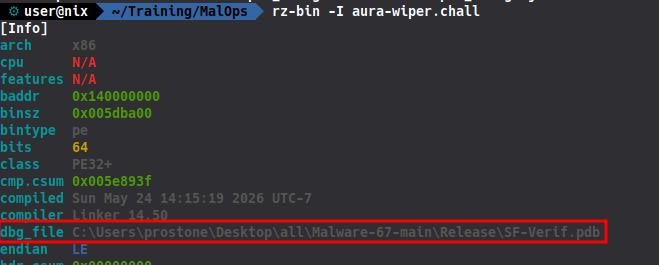
A PDB (Program Database) path embedded in malware indicates the source code compiled to create the executable. It often reveals the developer’s workstation, project structure, or identity (e.g. in this case a possible username:
prostone), helping analysts trace the malware’s origin or link it to a threat actor.The wiper checks two mutex values in the main function. What are those values?
Answer:Global\SFV67PayloadLeader,Global\SFVDeployOncecapa has a rule that detects functions related to mutexes. A mutex is a system-level lock used to ensure only one instance of the malicious program runs at a time. Malware creates a mutex with a unique name; if it finds the mutex already exists, it exits to avoid detection or conflicts with itself.
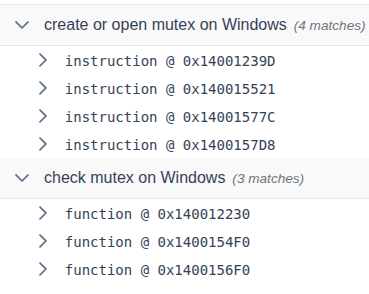
The reason, I usually start with capa is that it also provides the virtual address to the relevant functions. I can then use those functions to begin investigating in a disassembler. The relevant function is at
0x1400156F0undermainThe code uses two named Windows mutexes as instance/execution guards.CreateMutexAcreates or opens the mutex, andGetLastError() == 0xB7(ERROR_ALREADY_EXISTS) tells the program that another instance already created it. ForGlobal\SFV67PayloadLeader, a newly created mutex means this process is the “leader” and it proceeds with initialization; if it already exists, the process takes the alternate path (sub_1400154f0) and then sleeps indefinitely. The second mutex,Global\SFVDeployOnce, similarly ensuressub_1400130f0runs only once.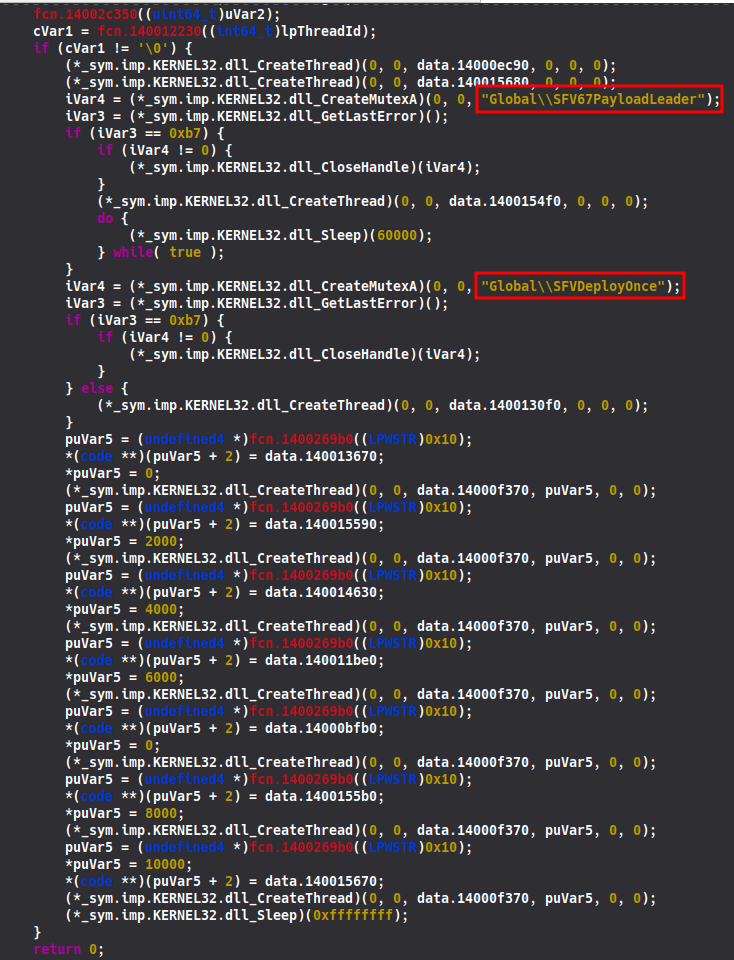
How many persistence mechanisms are implemented by AuraWiper? Answer:
4Using the output from capa, I was able to narrow down the relevant functions.
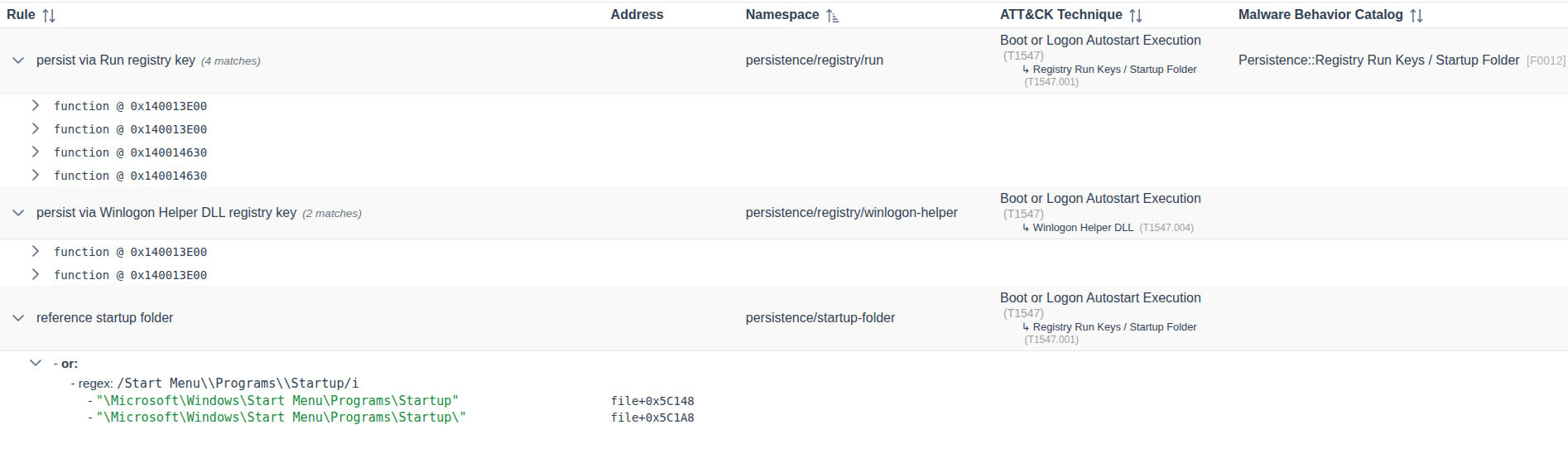
Let's start by looking at the possible startup folder persistence. In binary ninja, I looked up the string, then looked at cross refernces for functions were that string was found.

Looks like the string is being passed as an argument for
sub_1400183c0function. Upon further infection, it appears to just be a function that appends this startup path to the APPDATA environment variable to get this string:%APPDATA%\Microsoft\Windows\Start Menu\Programs\Startup\Next is the WIndows Helper DLL registry key. The function matched the capa rule is found at
0x140013E00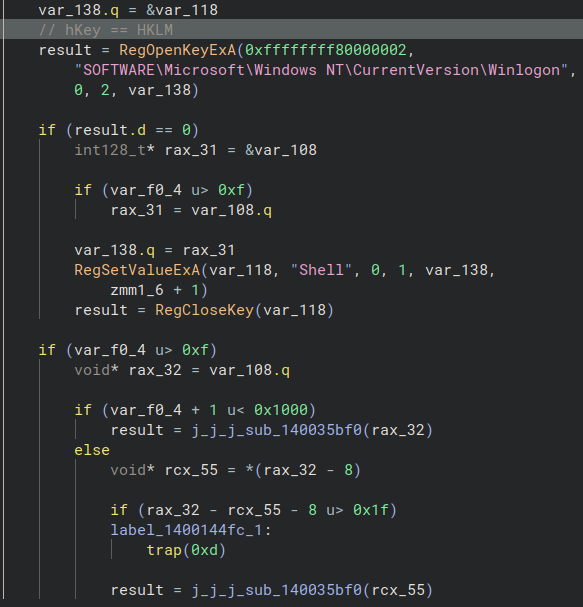
0xffffffff80000002here is the argument passed for thehKeyparameter. It represents theHKLMregistry key. See the links below to see the varioushKeykeys:https://github.com/tpn/winsdk-7/blob/master/v7.1A/Include/WinReg.h
https://github.com/microsoft/referencesource/blob/main/mscorlib/microsoft/win32/registrykey.cs
So, the full path is:
HKLM\SOFTWARE\Microsoft\Windows NT\CurrentVersion\WinlogonThe remaining persistence implementations are at:HKCU\Software\Microsoft\Windows\CurrentVersion\RunandHKLM\Software\Microsoft\Windows\CurrentVersion\Run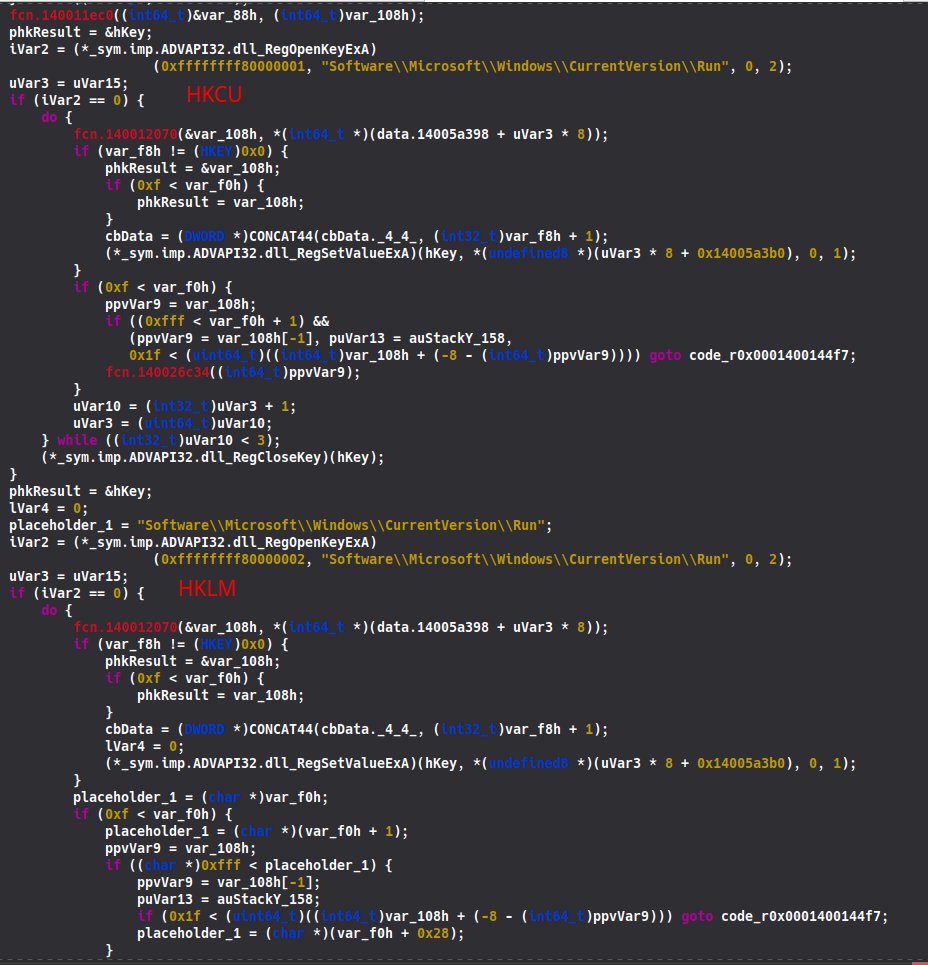
The malware establishes persistence at:
%APPDATA%\Microsoft\Windows\Start Menu\Programs\Startup\HKLM\SOFTWARE\Microsoft\Windows NT\CurrentVersion\WinlogonHKCU\Software\Microsoft\Windows\CurrentVersion\RunHKLM\Software\Microsoft\Windows\CurrentVersion\Run
What is the virtual address of the function responsible for terminating common system monitoring tools by process name?
Answer:0x140011be0capa also has a rule that indicates this activity as well.

To confirm this, I look at the strings in the binary and look at where it was used on the binary.
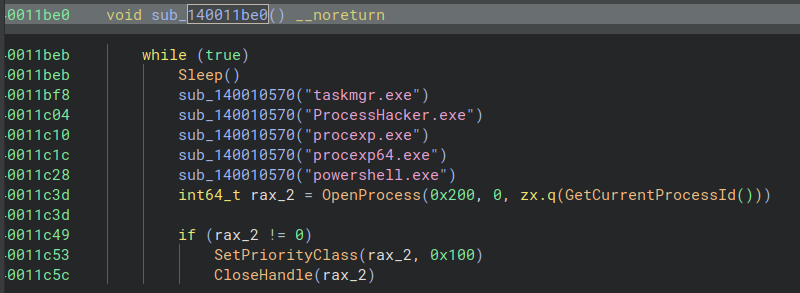
From this function, each of the function names is passed as an argument for the
sub_140010570. Let's dig into that function to see what it does.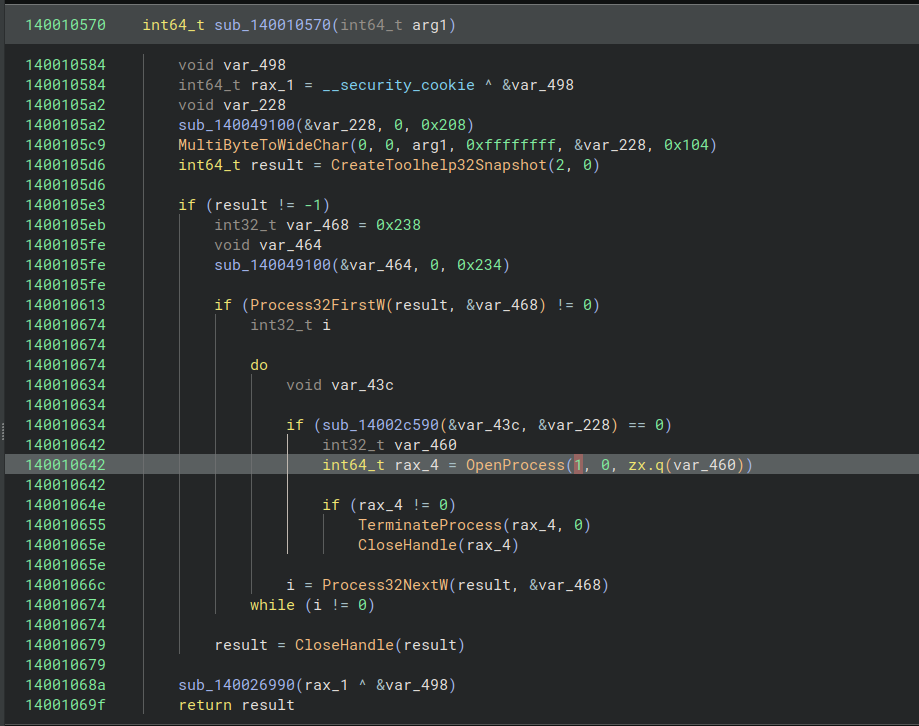
This function is enumerating all running processes and terminating processes whose executable path/name matches
arg1(arg1 here is the name of the processes found insub_140011be0). If the process matches any name in the list, it callsOpenProcesswith thePROCESS_TERMINATEflag (1). See the documentation here: https://learn.microsoft.com/en-us/windows/win32/procthread/process-security-and-access-rights. The flag is required to terminate the process usingTerminateProcess.How many times does AuraWiper invoke the process-termination function?
Answer:8In Binary Ninja, you can look at the cross refernces for the
sub_140010570function. This shows the number of times that function was called.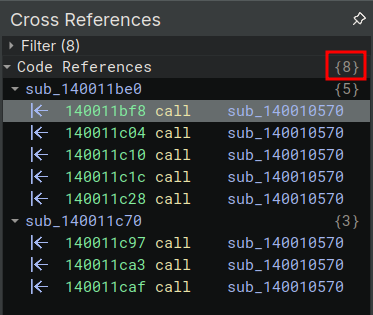
What is the virtual address of the function that implements the wiper's destructive payload?
Answer:0x40014e40Based on the challenge description "By the time the on-call engineer reaches the office, the fleet is a wall of 'no bootable device' screens and the recovery partitions are gone." I decided to look for any string, function, or windows api that might show this capabilities. I filtered the capa output for rules with
host-interactionnamespace.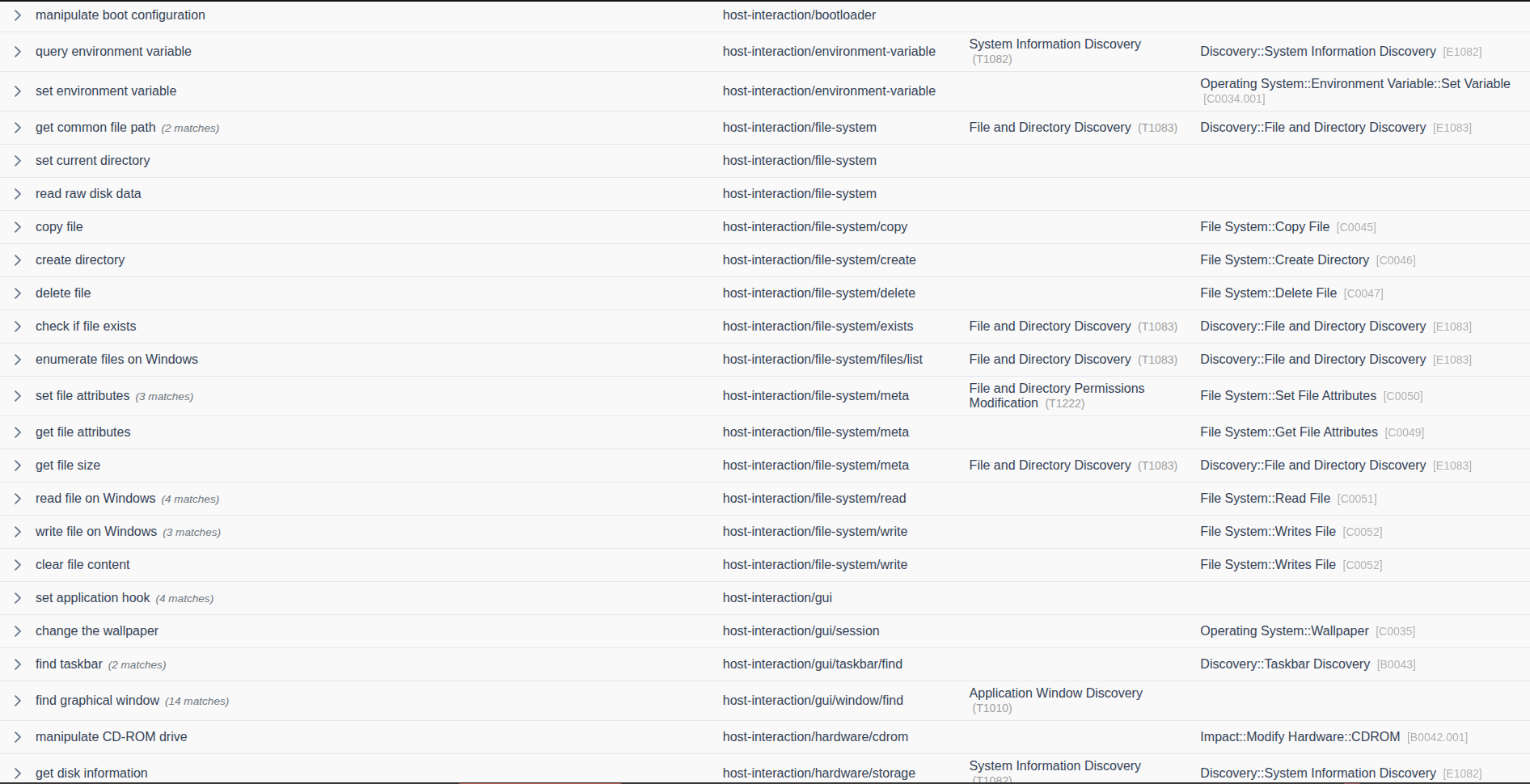
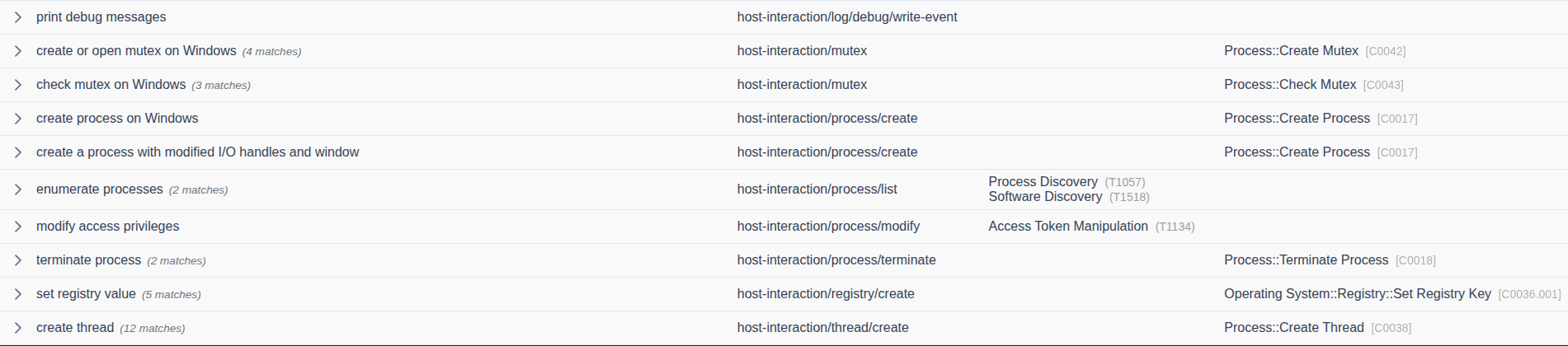
I looked at the function at
0x140011650This looked very destructive to me, and the result of this activity would result into what is mentioned in the description. However, I tried that and it was wrong.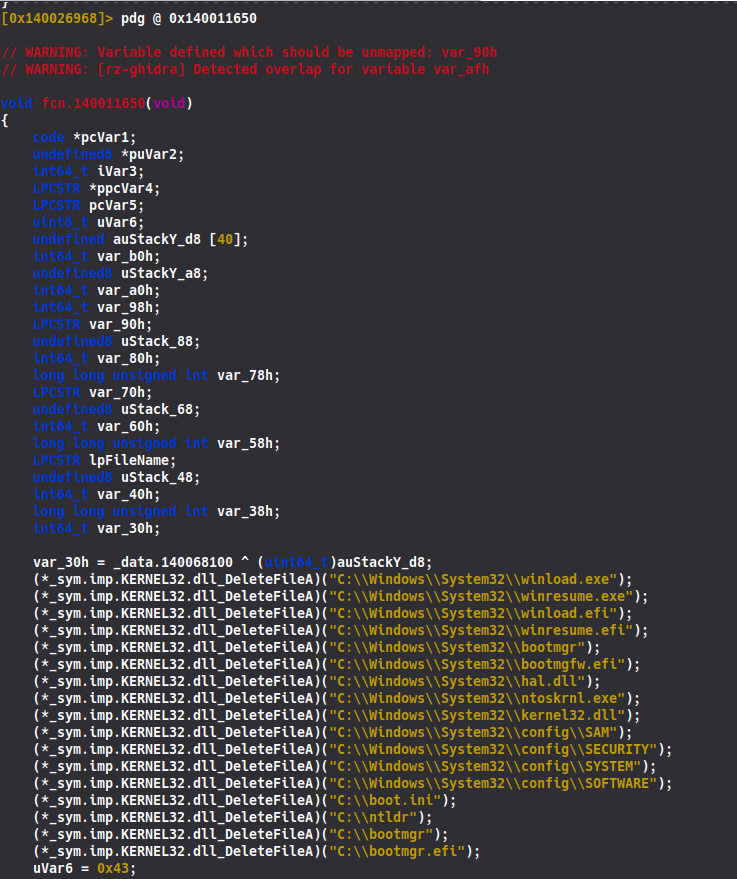
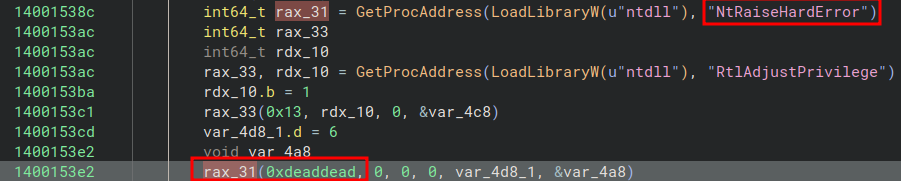
I then looked up the string "Shutdown" in the binary and it was referenced in the
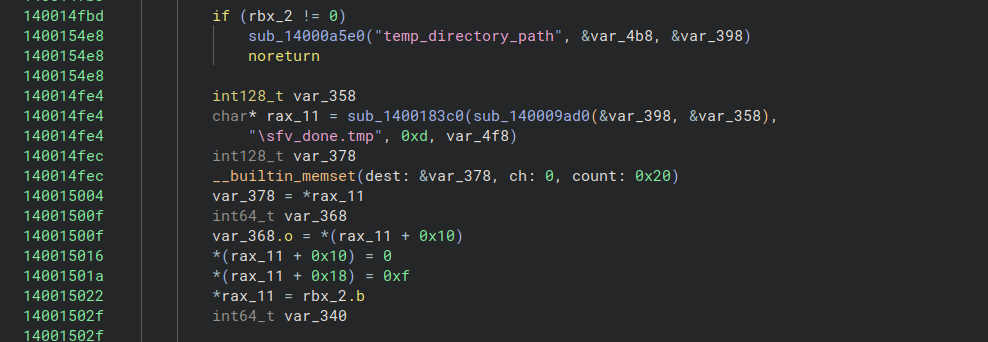
sub_140014e40function. The functionsub_140014e40is a one-time system-impact routine that hides and detaches the process console, enablesSeShutdownPrivilege, creates a hidden/system marker file named\sfv_done.tmp, changes the working directory to the executable's directory. It enables a shutdown-related privilege viaRtlAdjustPrivilege, and callsNtRaiseHardErrorwith0xDEADDEAD, apparently to trigger a fatal Windows system error or bugcheck. This turned out to be the correct answer.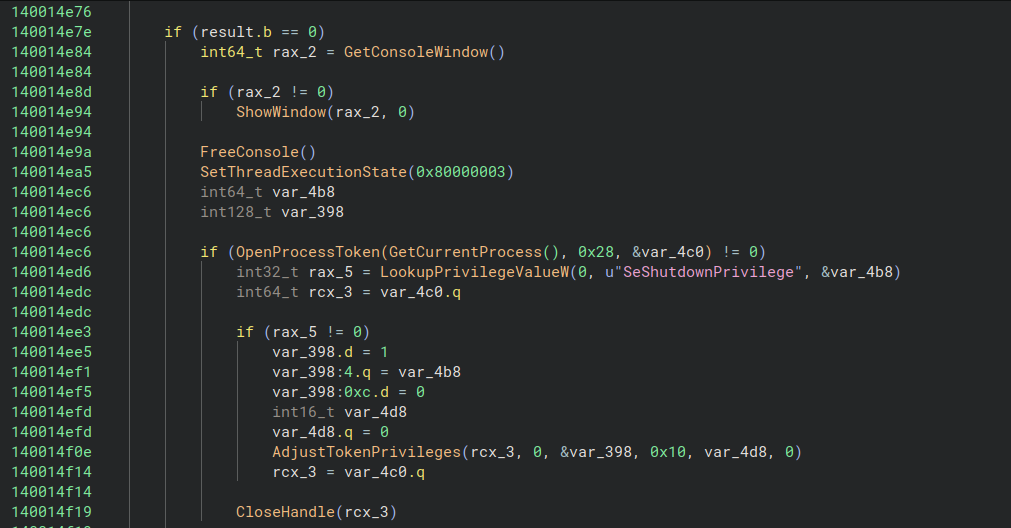


Which Windows privilege does AuraWiper attempt to modify?
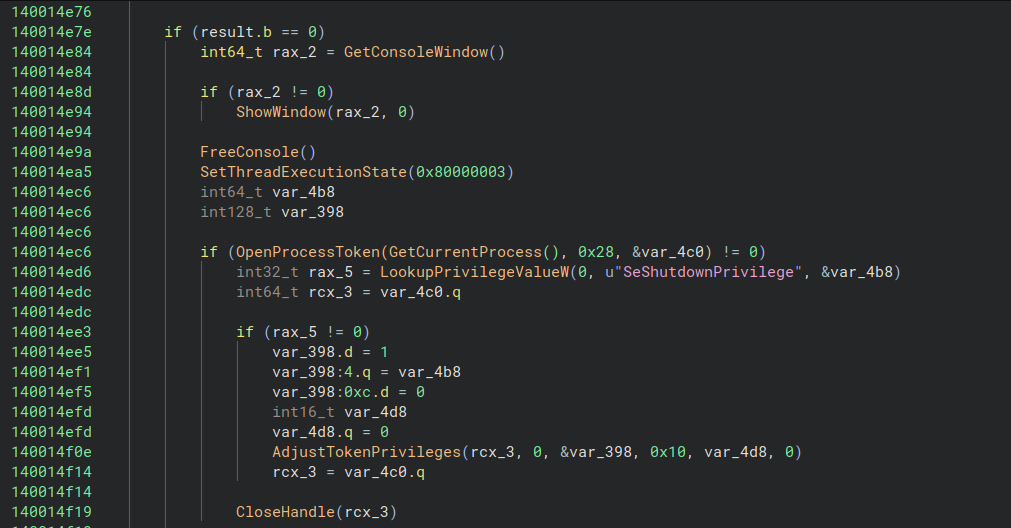
Answer:SeShutdownPrivilegeI found this in the last function. The binary attempts to modify this privilege in order to gain permission to perform its destructive functions.
AuraWiper creates a registry policy key to prevent the user from terminating the wiper process. Which registry key is responsible for this? Answer:
HKCU\Software\Microsoft\Windows\CurrentVersion\Policies\System\DisableTaskMgrI was able to find this using capa.

I navigated to the function in binary ninja,
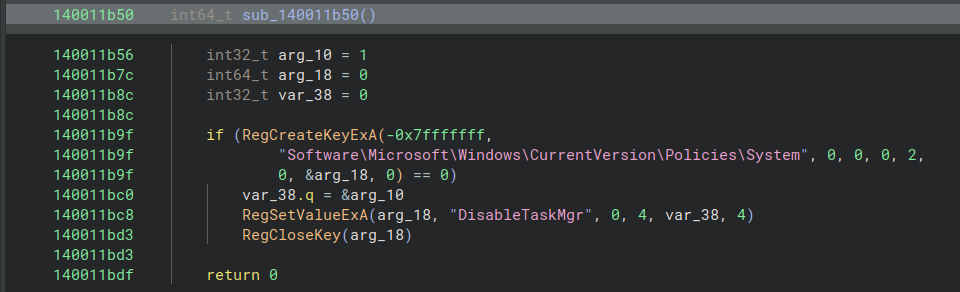
The function modifies the Windows Registry under
HKCU\Software\Microsoft\Windows\CurrentVersion\Policies\Systemand sets theDisableTaskMgrDWORD value to1, which disables Task Manager for users on the system; it then closes the registry key and returns0.Which Windows API handles communication with the Media Control Interface?
Answer:mciSendString
mciSendStringAis a Windows Multimedia Control Interface (MCI) API function. It's used by Windows programs to send string commands to multimedia devices.
Navigating to that function in binary ninja shows the command that was sent to the media control interface:
The command instructs Windows' CD Audio MCI device to close the CD/DVD drive tray. It could probably be preventing someone from inserting or removing optical media at that moment.
What is the virtual address of the function responsible for displaying random string?
Answer:0x14000fc00I decided to look at functions or strings related to
Print. I looked it up in Binary Ninja, but that didn't show anything relevant. I decided to look upMessageand that showed something more relevant. What immediately stood out to me was theMessageBoxAfunction.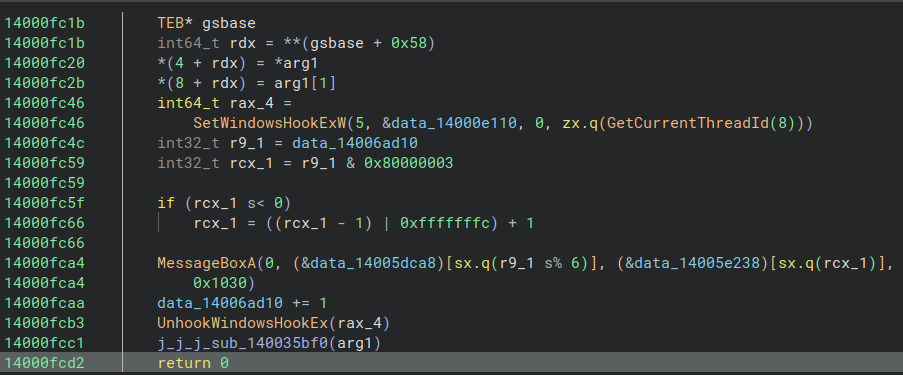
The second and third is the message box content and title respectively. It cycles through hard coded strings in the binary for the message content and title.


What is the offset address of the array containing the lpText values? Answer:
0x14005dca8I found this as part of the analysis of the previous question. According to Microsoft, the
lpTextis "the message to be displayed". It is the second argument passed into the function.
What is the virtual address of the function responsible for overwriting the Master Boot Record (MBR)?
Answer:140011aa0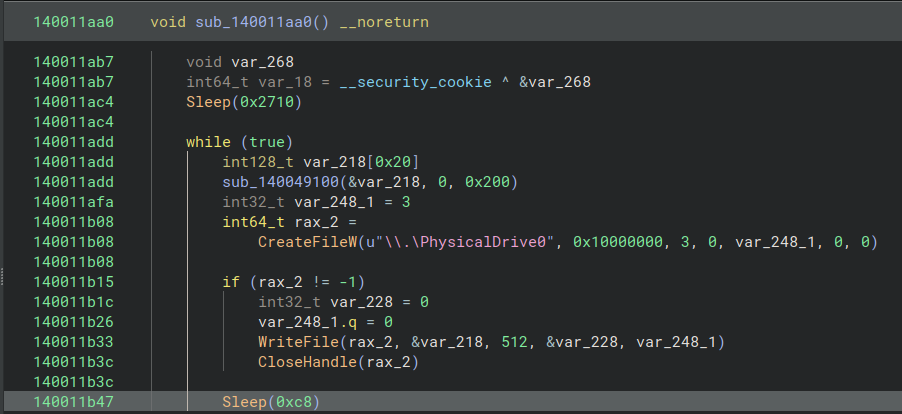
This function appears to repeatedly overwrite the beginning of physical disk 0 with zeros. It first sleeps for 10 seconds, then enters an infinite loop where it clears a 512-byte buffer, opens
\\.\PhysicalDrive0withGENERIC_WRITE(0x10000000) and read/write sharing, and callsWriteFileto write those 512 zero bytes directly to the physical drive. It closes the handle and waits 200 ms before repeating. Because the file offset is not changed between writes, each iteration targets the current disk position (initially offset 0), meaning it repeatedly overwrites the first 512 bytes of the physical disk—potentially destroying the disk's boot sector/partition metadata.
Generic Access Write
CreateFileW
WriteFileWhat is the virtual address of the function responsible for deleting key Windows system files?
Answer:0x140011650I found this earlier while investigating the main destructive function.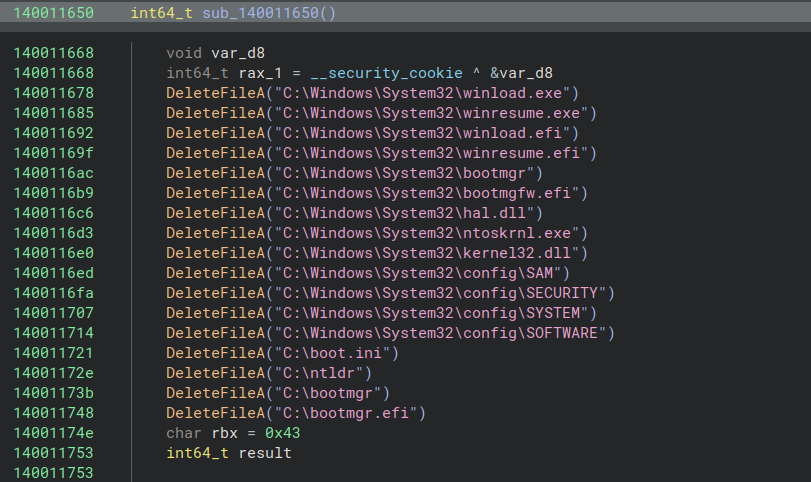
What is the name of the Windows Native API that AuraWiper uses to trigger a hard system error?
Answer:NtRaiseHardErrorAgain, also found this during my earlier investigation
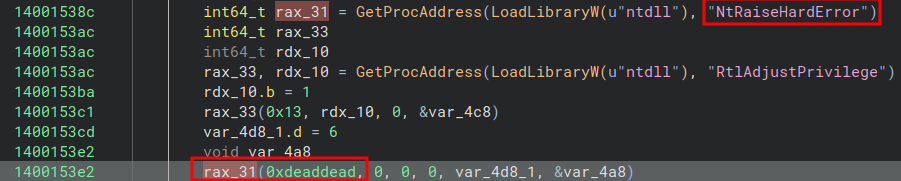
What hexadecimal value is passed as the ErrorStatus parameter to the native API that triggers the hard system error?
Answer:0xDEADDEADAlso found this during the investigation for the main destructive function.